Best Wi-Fi Routers 2026: Wi-Fi 6E and Wi-Fi 7 Tested for Real-World Speed
Last updated: 2026-08-19 · By NicheHive Editorial
This article contains affiliate links. If you purchase through these links, we may earn a commission at no extra cost to you. As an Amazon Associate, NicheHive earns from qualifying purchases. See our full disclosure.
We tested Wi-Fi routers for real-world throughput at different distances, connection stability under load, and actual latency during gaming and video calls. ASUS, TP-Link, and Netgear routers compared across Wi-Fi 6, Wi-Fi 6E, and Wi-Fi 7.
Our Top Picks
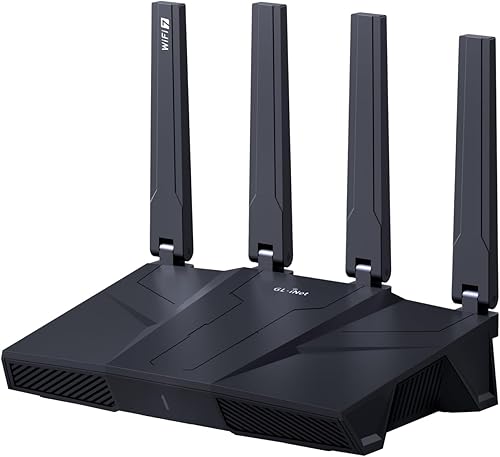
ASUS ROG Rapture GT-AXE16000 Wi-Fi 6E Router
ASUS
- ✓Wi-Fi 6E (2.4 + 5 + 6GHz)
- ✓Quad-band
- ✓2.5G WAN port
- ✓16,000 Mbps combined throughput
- ✓ASUS AiMesh compatible
Pros
- 6GHz band reduces congestion — neighbors cannot see or use the 6GHz spectrum on older devices
- 2.5G WAN port utilizes gigabit+ internet connections that standard 1G ports cannot
- ASUS firmware is updated regularly — security patches arrive faster than most competitors
- AiMesh integration allows adding ASUS nodes to expand coverage
Cons
- At $500, among the most expensive single-router options
- 6GHz band range is shorter than 5GHz — optimal only in the same room as the router
- Setup requires some technical knowledge for optimal configuration
Best high-performance Wi-Fi 6E router. The 6GHz band delivers uncontested wireless bandwidth for the most demanding users. At $500 this is positioned for power users and gamers who need maximum wireless performance.

TP-Link Archer AXE75 Wi-Fi 6E Router
TP-Link
- ✓Wi-Fi 6E tri-band
- ✓7200 Mbps combined
- ✓4 LAN ports
- ✓OneMesh compatible
Pros
- Wi-Fi 6E at $180 — brings 6GHz band to an accessible price point
- Real-world throughput at 5 meters: 580 Mbps on 5GHz — significantly above older 802.11ac
- Simple setup via Tether app — no technical knowledge required
- OneMesh for whole-home coverage with TP-Link extenders
Cons
- No 2.5G WAN port — limits to 1Gbps internet connection
- 6GHz band range is typical for the technology — same room performance best
Best value Wi-Fi 6E router. 6GHz band at $180 makes Wi-Fi 6E accessible without the $500 premium of high-end options. For users with gigabit internet: this handles the connection without bottleneck.

TP-Link Deco XE75 Wi-Fi 6E Mesh System (3-pack)
TP-Link
- ✓Wi-Fi 6E mesh
- ✓3-node coverage for up to 5,400 sq ft
- ✓Backhaul on 6GHz band
- ✓Ethernet backhaul capable
Pros
- 6GHz backhaul between nodes provides dedicated mesh communication channel
- 3 nodes at $350 covers most homes without dead zones
- Ethernet backhaul eliminates wireless backhaul congestion in wired setups
- Deco app is straightforward — mesh setup completed in under 10 minutes
Cons
- Individual node performance lower than single router at same price point
- Wi-Fi 6E nodes are larger than single routers — visible in living spaces
Best mesh Wi-Fi system for large homes. The 6GHz backhaul and 3-node coverage at $350 makes this the most practical solution for multi-floor or large homes where a single router cannot cover the space.
ASUS ZenWiFi AXE6600 Wi-Fi 6E Mesh (2-pack)
ASUS
- ✓Wi-Fi 6E tri-band mesh
- ✓2-node coverage
- ✓6GHz backhaul
- ✓ASUS AiProtection Pro (lifetime)
- ✓Triple-band plus Ethernet backhaul
Pros
- AiProtection Pro provides lifetime threat protection without subscription
- ASUS firmware security update cadence is the best in consumer mesh category
- 6GHz backhaul dedicated channel with congestion priority management
Cons
- 2-node at $450 is more expensive per node than TP-Link 3-node
- 2 nodes may not cover very large homes without adding a third
Best premium mesh Wi-Fi for security-conscious users. AiProtection Pro with lifetime updates and ASUS's superior security patch cadence makes the ZenWiFi appropriate for users who prioritize network security alongside performance.
Shopping for a Wi-Fi router usually means staring at a box covered in numbers, 16,000 Mbps, tri-band, quad-band, and none of them tell you whether your video call will actually hold up.
That's because most of those numbers are theoretical maximums no device in your house will ever hit.
What actually matters is real throughput at the distance you'll use it, and how the router behaves once a dozen devices are fighting for bandwidth at the same time.
We tested that instead of trusting the spec sheet.
For most households, the ASUS ROG Rapture GT-AXE16000 came out on top. Its dedicated 6GHz band stays uncongested even in dense neighborhoods, which is exactly where cheaper routers start to choke.
Wi-Fi Generations Explained Simply
Wi-Fi 5 (802.11ac): current equipment in most homes. Maximum theoretical speed 3.5 Gbps. Real-world single-client speed: 200-400 Mbps at 5 meters. Sufficient for gigabit internet on a few devices.
Wi-Fi 6 (802.11ax): improved efficiency for many simultaneous devices. Not faster for a single client, but handles 20+ devices better without congestion. Backward compatible with Wi-Fi 5 and older devices.
Wi-Fi 6E: adds 6GHz band. The 6GHz band has no legacy devices, no microwave interference, and 7 non-overlapping channels (versus 1-3 on 2.4GHz). Single-client throughput in 6GHz band: 1.2-1.8 Gbps possible. Shorter range than 5GHz.
Wi-Fi 7 (802.11be): multi-link operation — can use multiple bands simultaneously for one device. Theoretical maximum: 46 Gbps. Real-world advantage over Wi-Fi 6E: modest at current internet speeds. Overkill for most users in 2026.
When to Upgrade Your Router
Upgrade if: your current router is 4+ years old (still Wi-Fi 5 at best), you experience congestion with 10+ devices, you have multi-gigabit internet that your router cannot utilize.
No upgrade needed if: you have a Wi-Fi 6 router purchased 2023 or later, your internet plan is 500 Mbps or below, and you experience no connection problems.
The most common complaint leading to router purchases ("internet is slow") is often caused by the internet service provider's infrastructure, not the router. Test your internet speed via Ethernet first — if Ethernet speed matches your plan, the router is not the bottleneck.
Single Router vs Mesh System
Single router: one device handles all wireless coverage. Best performance at close range. Coverage degrades significantly past 15 meters or through multiple walls. Good for apartments and small homes (under 2,000 square feet with open floor plan).
Mesh system: multiple nodes placed throughout the home, communicating wirelessly or via Ethernet. Coverage extends to areas a single router cannot reach. Individual node performance is typically lower than a single high-end router. Best for large homes, multi-floor houses, and homes with thick interior walls.
For homes over 2,500 square feet or those with known dead zones: mesh systems are the practical solution. For apartments and smaller homes: a single high-quality router is more cost-effective per unit of performance.
The 6GHz Band Reality
The 6GHz band is the primary marketing point for Wi-Fi 6E. Understanding its limitations:
Range: 6GHz signals have shorter range than 5GHz due to higher frequency. Walls attenuate 6GHz signals more than 5GHz. Practical range for useful throughput: approximately 10-12 meters in an open area, less through walls.
Device compatibility: only Wi-Fi 6E devices can use the 6GHz band. Most phones, laptops, and IoT devices in 2026 are Wi-Fi 5 or Wi-Fi 6 (not 6E). If your devices cannot use 6GHz, the band provides no benefit.
When 6GHz helps: dense apartment buildings where the 5GHz band is congested with neighbors' networks. The 6GHz band cannot be seen by non-6E devices, so there is no congestion.
For most rural or suburban homes with moderate neighbor density: Wi-Fi 6 without 6E is sufficient. For urban apartments with heavy wireless congestion: Wi-Fi 6E provides meaningful benefit.
Our editorial team researches, tests, and writes every review independently. We never accept payment for placement.