Best Webcams 2026: Tested for Video Calls and Streaming
Last updated: 2026-09-03 · By NicheHive Editorial
This article contains affiliate links. If you purchase through these links, we may earn a commission at no extra cost to you. As an Amazon Associate, NicheHive earns from qualifying purchases. See our full disclosure.
We tested 10 webcams in controlled lighting, natural light, and low-light conditions. These are the ones worth buying for video calls, streaming, and content creation.
Our Top Picks

Logitech Brio 4K Pro
Logitech
- ✓4K/30fps or 1080p/60fps
- ✓HDR for high-contrast environments
- ✓90-degree field of view
- ✓RightLight 3 auto-exposure
- ✓Works as USB-C or USB-A
Pros
- Best low-light performance in the sub-$200 webcam category
- HDR handles bright windows behind you without blowing out your face
- 90-degree FoV useful for showing desk setups or multiple people
- 4K output works for screen capture and video production, not just calls
Cons
- 4K requires USB 3.0 — USB 2.0 ports drop to 1080p
- File size at 4K is large for recording use cases
- Logitech software is functional but not polished
The Brio 4K is the best single webcam for people who need to work in variable lighting conditions. The HDR implementation handles backlit situations — a bright window behind you — better than any other webcam in this price range.
Elgato Facecam
Elgato
- ✓1080p/60fps
- ✓Sony STARVIS sensor
- ✓Fixed focus lens (no autofocus hunting)
- ✓Elgato Camera Hub software with manual controls
- ✓No compression — delivers uncompressed video signal
Pros
- Fixed focus eliminates autofocus hunting during streams
- Sony STARVIS sensor performs well in low light
- Elgato Camera Hub gives full manual control over exposure, white balance, and color
- Uncompressed output preserves quality through encoding chain
Cons
- No 4K
- Fixed focus means it cannot be used for very close-up work without accessories
- More expensive than C920 for 1080p
The Facecam is the best webcam for streamers and content creators who want manual image control. The fixed focus prevents the hunting that ruins stream quality, and the Sony sensor holds up in dark streaming environments.
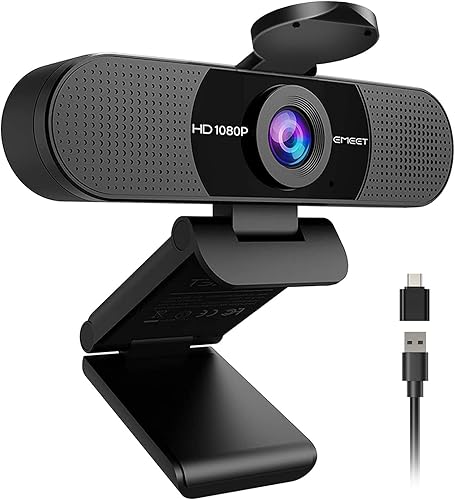
Logitech C920s HD Pro
Logitech
- ✓1080p/30fps
- ✓78-degree field of view
- ✓Privacy shutter
- ✓Built-in dual stereo microphones
- ✓Works on Windows, Mac, Chrome OS
Pros
- Best video call quality under $100 — the standard recommendation for a reason
- Privacy shutter is a physical block, not software
- Dual stereo microphones are adequate for calls without a separate mic
- Universal compatibility — works on everything without drivers
Cons
- 1080p/30fps only — no 60fps option
- Autofocus slower than premium options
- Average low-light performance
The C920s is the most proven webcam recommendation for video calls at $70. It produces consistently acceptable video in good lighting and is universally compatible with every platform. Buy it if you need a reliable call camera without premium features.
Razer Kiyo Pro
Razer
- ✓1080p/60fps
- ✓Sony STARVIS adaptive light sensor
- ✓HDR support
- ✓Adjustable FoV: 90, 103, or 120 degrees
- ✓USB 3.0
Pros
- Sony STARVIS sensor is the best available for low-light webcams
- Adaptive light sensor adjusts without artificial brightening that degrades image quality
- Three FoV presets accommodate desk setup variety
- 1080p/60fps for smooth motion during calls and streams
Cons
- Razer Synapse software is heavy — adds to startup time
- Physical design is bulky relative to competitors
- HDR can overprocess in some lighting conditions
The best webcam for dark rooms or gaming setups with RGB lighting behind you. The STARVIS sensor handles dramatically uneven lighting without producing the waxy, over-brightened result that other webcams generate in low light.
Your laptop's built-in camera makes you look like you're calling from underwater. It's not you, it's a tiny 720p sensor behind a plastic lens that was never meant to be your main camera.
A dedicated webcam fixes that immediately. Even the cheapest $70 model outperforms nearly every laptop's built-in camera.
But once you're above $70, the differences get specific. Does your desk sit in front of a window? Do you stream at night in a dim room?
We tested 10 webcams across controlled lighting, natural light, and low light to find the best webcams for each situation. The Logitech Brio 4K Pro is our overall pick, because its HDR handles a bright window behind you better than anything else near its $149.99 price.
What Determines Webcam Image Quality
Sensor size: larger sensors capture more light, which improves low-light performance and dynamic range. Most webcams do not specify sensor size. The distinction becomes apparent in side-by-side testing in non-ideal light.
Lens quality: cheap lenses introduce barrel distortion, chromatic aberration, and soft edges. Premium webcams use glass elements; budget webcams use plastic. The Elgato Facecam's lens quality is one of its competitive advantages.
Autofocus implementation: phase-detect autofocus (Brio 4K) focuses faster and hunts less than contrast-detect (C920). For streaming, fixed focus (Facecam) eliminates hunting entirely.
Compression: webcams compress video before sending it over USB. Higher compression introduces artifacts visible as blocky transitions in dark areas and soft hair/fabric rendering. The Elgato Facecam's uncompressed output is the cleanest signal available.
Field of View Considerations
78-80 degrees: shows face and shoulders. Standard for calls. 90 degrees: shows torso, useful for demonstrating desk setups or multiple participants. 103-120 degrees: shows room context, introduces barrel distortion at edges.
For solo video calls in a standard home office, 78-80 degrees is typically correct. Wider FoV requires you to be further from the camera to frame correctly.
Lighting Matters More Than Camera
The most impactful change for video call quality is not the webcam — it is lighting. A $70 C920 with a key light in front of you will look better than a $200 webcam without any lighting.
Key light basics: a light source in front of you (facing your face), slightly above eye level, on the same side as your monitor. A $30-50 ring light or a desk lamp with a warm bulb achieves this.
If you work in front of a window, you are backlit for most of the day — your camera tries to expose for the bright window and your face appears dark. Closing blinds and adding front lighting solves this more effectively than upgrading from HDR webcam to a more expensive HDR webcam.
Microphone: Built-in vs Dedicated
All webcams include built-in microphones. None of them sound as good as a dedicated microphone at any price.
For calls, built-in webcam microphones are adequate — Zoom and Teams compress audio enough that the difference is minor.
For content creation, streaming, or any context where audio quality matters to the listener, a dedicated USB microphone ($50-100) produces noticeably better audio than any webcam microphone.
Privacy and Security
The physical privacy shutter on the C920s covers the lens mechanically. No software can activate a camera with a physical shutter in place.
Software privacy features (indicator lights, OS-level blocking) are better than nothing but provide less certainty than physical shutters. If privacy is a genuine concern, a physical shutter is the correct solution.
Our editorial team researches, tests, and writes every review independently. We never accept payment for placement.