Best Desk Lamps 2026: Color Temperature, Brightness, and Eye Strain Tested
Last updated: 2026-08-19 · By NicheHive Editorial
This article contains affiliate links. If you purchase through these links, we may earn a commission at no extra cost to you. As an Amazon Associate, NicheHive earns from qualifying purchases. See our full disclosure.
We tested desk lamps for color rendering accuracy (CRI), flicker-free performance, color temperature range, and whether they reduce eye strain during long work sessions. LED desk lamps, monitor light bars, and smart lamps compared.
Our Top Picks

BenQ ScreenBar Monitor Light
BenQ
- ✓Clips to monitor top edge
- ✓Auto-dimming sensor
- ✓No glare on screen (downward-only illumination)
- ✓2700K-6500K color temperature
- ✓USB powered from monitor
Pros
- Illuminates desk without reflecting on monitor screen — unique downward-only design
- Auto-dimming sensor adjusts brightness to ambient conditions
- CRI >95 — colors render accurately for document and photo work
- USB powered from monitor — no separate power adapter required
- Frees up full desk surface — no base footprint
Cons
- At $109, significantly more expensive than traditional desk lamps
- Cannot illuminate the room — only the desk surface below the monitor
- Touch controls on the back of the unit are difficult to locate without looking
Best desk lamp for monitor setups. The ScreenBar's downward illumination eliminates screen glare while providing accurate desk illumination. For users whose primary work is at a monitor, this is the most practical desk lighting solution.
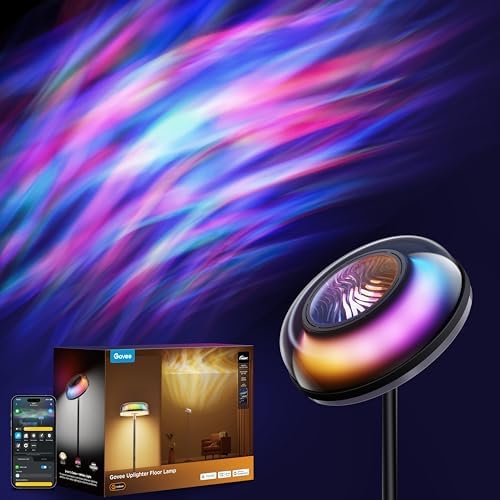
Govee RGBIC LED Desk Lamp
Govee
- ✓RGBIC color (multiple colors simultaneously)
- ✓Alexa and Google Assistant compatible
- ✓Govee Home app control
- ✓Touch controls
- ✓USB-C powered
Pros
- RGBIC LEDs create gradient color effects — useful for streaming backgrounds
- Alexa/Google integration for voice-controlled brightness during calls
- Govee Home app scene presets for work, gaming, and ambient modes
- At $50, most accessible smart lamp with RGB and voice integration
Cons
- RGBIC color mixing reduces white light purity — CRI in white mode is lower than dedicated white LEDs
- App is required for full feature set — touch controls only access basic functions
Best smart desk lamp. RGBIC color, voice control, and Govee's scene ecosystem at $50. For streamers who want dynamic backgrounds or users who integrate smart home lighting, this is the most versatile desk lamp.

TaoTronics TT-DL036 Desk Lamp
TaoTronics
- ✓5 color temperatures, 7 brightness levels
- ✓USB charging port on base
- ✓Flicker-free LED
- ✓Memory function — restores last settings on power-on
- ✓Touch controls
Pros
- 35 combinations of color temperature and brightness for different work modes
- Flicker-free confirmed — no 100Hz or 120Hz flicker visible on high-speed camera
- USB-A charging port on base charges phone without desk clutter
- Memory function eliminates resetting preferences each day
Cons
- CRI is approximately 80 — adequate for reading, not ideal for photo or color work
- Arm joints loosen slightly over 8 months of adjustment
Best value desk lamp. At $35, flicker-free operation, 35 brightness and color temperature combinations, and a USB charging port make this the most practical general-purpose desk lamp for office and reading use.
Your eyes feel gritty by 4pm and you blame the screen. Often it's the lamp next to it, flickering at a rate you can't consciously see but your eyes register anyway.
A good desk lamp should reduce eye strain over a long work session, not add to it. The two things that actually matter are flicker and color rendering, not brightness alone.
Worth asking: does the lamp on your desk right now pass either test?
Our top pick, the BenQ ScreenBar, clips to the monitor and aims light down at the desk instead of forward at the screen, so there's no glare, and its CRI above 95 renders colors accurately enough for real document and photo work.
Flicker: The Hidden Eye Strain Source
All light sources powered by AC electricity flicker at 100Hz or 120Hz (matching the AC frequency). Fluorescent tubes and older LED drivers produce visible flicker at these frequencies. CFL bulbs flicker particularly badly.
Modern quality LED desk lamps use drivers that eliminate or minimize flicker. Look for:
- "Flicker-free" labeling (this is a real specification, not marketing)
- PWM frequency above 20kHz (if flicker reduction uses PWM)
- Constant-current drivers (the best approach — no flicker by design)
Flicker causes eye fatigue during long work sessions even when the flicker is not consciously visible. The eye still processes each pulse.
Testing for flicker: point your phone camera at the light source in slow-motion video mode (240fps+). A flickering light shows a pulsing pattern in slow-mo. A flicker-free light shows constant brightness.
Color Rendering (CRI)
CRI (Color Rendering Index) measures how accurately a light source renders colors compared to natural daylight:
- CRI 80-89: adequate for general work and reading
- CRI 90-95: good for most work, some color accuracy tasks
- CRI 95+: required for photo editing, illustration, and any color-critical work
Most consumer desk lamps are CRI 80. BenQ ScreenBar is CRI 95+. A desk lamp with CRI 80 makes text easy to read but distorts the colors of printed materials, screen color, and skin tones under the light.
For computer work (mostly text and applications): CRI 80 is fine. For photo editing, illustration, or design work: use CRI 95+ lighting.
Color Temperature for Different Tasks
2700-3000K (warm white): similar to incandescent bulbs. Relaxing, not stimulating. Better for evening use or reading for leisure.
4000K (neutral white): balanced between warm and cool. Good general-purpose work temperature.
5000-6500K (cool white, daylight): stimulating, promotes alertness. Better for focused work sessions, morning use.
For work sessions: start with 4000-5000K during focus periods, shift toward 3000K in the evening to avoid blue light suppression of melatonin.
Adjustable color temperature lamps (2700K-6500K) are more practical than fixed-temperature options — they cover the full range.
Monitor Light Bar vs Traditional Desk Lamp
Monitor light bar (BenQ ScreenBar, Elgato Key Light Bar): clips to monitor top edge, illuminates the desk from above without reflecting on the screen. Takes zero desk surface space. Cannot illuminate the room.
Traditional desk lamp: base sits on the desk, arm extends over the work area. Illuminates more broadly, can be positioned anywhere. Takes desk space.
For users who primarily work at a single monitor: monitor light bars are superior — they maximize illumination efficiency for the specific area you need without creating screen glare.
For users who want to illuminate a broader work area (drafting, art, writing by hand): traditional adjustable-arm desk lamps are more flexible.
Desk Lamp for Video Calls
For video calls, the lamp should illuminate the face rather than the background. Place the lamp at eye level or slightly above, facing the camera.
BenQ ScreenBar: positioned on monitor, illuminates downward — provides some face fill light but the primary direction is toward the desk surface. Not ideal as the sole light source for video calls.
Ring light or key light (separate category): positioned in front of the subject, facing the camera — designed for face illumination. Better for video calls and streaming.
Combination: desk lamp for work illumination + ring light positioned behind the monitor for face illumination. This is the most effective two-source setup for combined work and video call use.
Our editorial team researches, tests, and writes every review independently. We never accept payment for placement.